
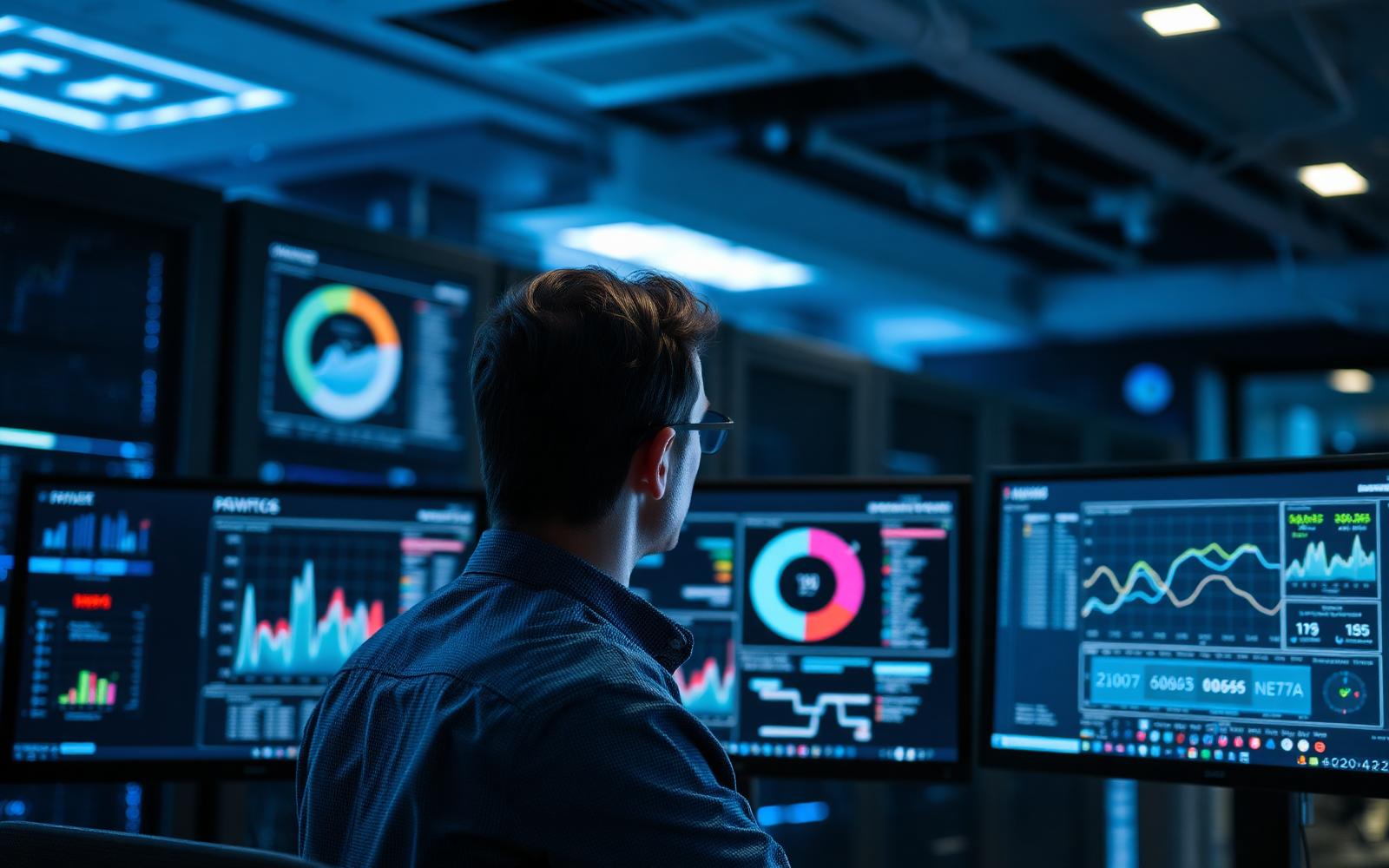
Infrastructure and systems
Detect the problem before it becomes an incident
We monitor your company's computers, servers and systems to detect degradation, anomalies and potential problems before they end up affecting your users.
The Seintec technical team supervises devices, analyses alerts and events, maintains visibility over their status and can perform remote actions, apply updates and automate maintenance tasks.
Fewer surprises. Fewer interruptions. More control over your infrastructure.
The starting point
If the user has to notify you that something is failing, you are already late
In many companies, the first monitoring system is still a phone call: «my computer is slow», «the server is not responding», «there is no disk space left», «the application has stopped working». When the IT department discovers the problem at the same time as the user, there is already an impact on the business. Many failures leave signs before becoming an incident: resources at their limit, disks degrading in status, services stopping, pending updates, capacity running out or repeating events.
- Equipment that degrades slowly without anyone detecting it.
- Disks that fill up until applications stop.
- Servers consuming increasingly more resources.
- Critical services coming to a halt.
- Updates left pending for months.
- Recurring errors scattered across different teams.
- Different applications and versions on every workstation.
- Issues discovered only when the user calls.
An unmonitored infrastructure forces a reactive approach to work.
Our response
From firefighting to anticipating them
With Monitoring of equipment and systems, Seintec maintains a centralised view of the status of the devices included in the service. We configure metrics, thresholds, and policies tailored to each type of equipment to detect situations requiring attention. When an alert appears, the technical team has the information to analyse what is happening, relate it to other events, and decide if intervention is necessary. In certain situations, we can also execute remote or automated actions to correct the problem or prevent it from escalating further.
We do not monitor to accumulate alerts. We monitor to take action.
Benefits
What you gain when your systems are no longer operating in the dark
Fewer unexpected incidents
We detect specific signs of degradation before they result in a service interruption.
Increased availability
We monitor resources, services, and availability to promptly detect anomalous behaviour.
Extended lifespan and hardware control
The evolution of capacity and specific hardware indicators helps in planning interventions and replacements.
Updates under control
We can apply patching and update policies in a centralised and planned manner.
Less repetitive work
We automate technical tasks through scripts and policies so that the human team can dedicate their time to higher-value issues.
Cost adapted to the actual fleet
The service is scaled per monitored device and can grow or shrink alongside the company.
Visibility
Knowing what is happening before deciding how to act
Performance
Supervision of indicators such as CPU, memory, disk capacity, resource usage, and specific network indicators.
Hardware health
When device and system allow: S.M.A.R.T. status of disks, capacity and degradation, temperatures, fans, battery status, and other available indicators.
Services and processes
Monitoring of services and specific processes required for applications and systems to remain operational.
Operating system
Information regarding device status, operating system, updates, reboots, events, and resources.
Software
Centralised inventory of applications and versions installed on compatible devices.
Availability
Monitoring of online/offline status and specific systems, servers, or network devices.
Proactive monitoring
The best ticket is the one the user never has to open
Correctly configured monitoring allows for the identification of trends and anomalies before they escalate into visible incidents.
Disk running out of space
We do not wait for an application to stop working. We define thresholds to detect growth before the limit is reached.
Resources at their limit
High and sustained memory or CPU consumption can be the symptom of an issue that has not yet caused a downtime.
Disk issues
Certain health indicators can warn of degradations that require review.
Service stopped
An application may depend on a service that has stopped even if the server remains powered on.
Device offline
Unexpected loss of connectivity can trigger an alert to initiate diagnostics.
Repetitive errors
An isolated event may not be relevant. A recurring sequence deserves to be investigated.
Detecting a signal in time can turn an emergency into a planned intervention.
Greater context, better decisions
An isolated alert says little. Context explains the problem.
Systems constantly generate events, metrics, and changes. The service enables the collection of various technical signals, allowing the Seintec team to analyse them collectively to better understand what is happening: an operational correlation of alerts, events, and metrics.
Our specialists do not just see an alert. They see the status of the device surrounding that alert.
- High memory utilisation
- Recurring application errors
- Service restarting
- Performance degradation
= a potential incident that warrants action.
Remote maintenance
Updating 80 machines should not mean visiting 80 desks
From the monitoring platform, we can apply centralised maintenance and update policies across compatible systems and applications. This helps reduce one of the most common issues in IT estates: each computer ending up on a different version.
Updating ceases to be a computer-by-computer task.
- Detecting pending updates.
- Defining patching policies.
- Scheduling maintenance windows.
- Applying specific updates remotely.
- Managing restarts when necessary.
- Applying policies by device groups.
- Reviewing task outcomes.
- Maintaining greater homogeneity across equipment.
IT automation
If a task is repeated, we can probably automate part of it
The service allows for the execution of remote scripts and automations on compatible devices. Seintec can use this capability to reduce manual tasks and accelerate repetitive administration processes.
A new employee should not require twenty technical tasks to be repeated manually on their computer.
Automations are designed according to the client's environment, their systems, and their policies.
- Install applications.
- Update applications.
- Execute maintenance tasks.
- Delete temporary files.
- Verify configurations.
- Restart specific services.
- Collect technical information.
- Apply configurations.
- Run checks.
- Automate tasks associated with the onboarding of new workstations.
- Accelerate part of user provisioning.
- Prepare the necessary applications for a new employee.
Automating also means reacting
Detect. Act. And in some cases, automatically remediate.
Certain alerts can be associated with automated actions. For example, upon a predefined condition, a script can be executed to perform a specific technical action.
Not all incidents need to wait for a technician to click.
Remedial automations are only configured when they are technically safe and approved for the corresponding environment.
- Restart a service.
- Execute a maintenance task.
- Clean specific temporary files.
- Run a check.
- Collect additional information for diagnostics.
- Apply a previously defined corrective action.
Reactive vs. proactive
Two very different ways of managing a business
Reactive management
- The user detects the issue.
- The user calls.
- An incident is opened.
- The technician begins investigating.
- There is no centralised overview.
- Computer-by-computer updates.
- Manual repetitive tasks.
- Inventory is difficult to maintain.
- The problem is already affecting the business.
Monitoring managed by Seintec
- The system generates alerts.
- Thresholds adapted to the devices.
- Centralised visibility.
- Specialists reviewing the environment.
- Information available before intervening.
- Remote updates.
- Scripts and automations.
- Technical inventory.
- Ability to detect certain issues before they impact.
Reactive support fixes problems. Proactive monitoring helps you get there first.
Tailored to you
Monitor 10 endpoints or 500. Pay for what you need.
The service is scaled according to the number of devices you wish to include. Each company decides which part of its infrastructure needs monitoring, with a granular model per monitored device: you can start with critical systems and expand coverage later, or protect the entire fleet from day one.
- Computers.
- Laptops.
- Servers.
- Critical equipment.
- Different sites.
- Specific compatible infrastructure devices.
10
10 devices monitored
50
50 devices monitored
250
250 devices monitored
Your business changes. Monitoring changes with it.
Request proposalWhere it adds the most value
The more devices you manage, the more vital it is to know what is happening across all of them
Companies without an IT department
Seintec becomes the specialised team that supervises the technical status of the fleet.
Internal IT departments
Monitoring reduces repetitive tasks and provides visibility so the internal team can focus on higher-value projects.
Multi-site companies
A centralised view of devices distributed across offices, branches, stores, or centres.
Industry
Supervision of servers and compatible systems that support business or production processes.
Retail
Central control of numerous workstations distributed among different establishments.
Professional services
Monitoring of workstations and servers managing critical information and applications.
Growing businesses
Automations and policies that facilitate adding new equipment without increasing the administrative burden.
Implementation
From unknown estates to monitored infrastructure
- 01
Inventory
We identify the devices, servers and systems that must be incorporated.
- 02
Deployment
We install and configure the necessary monitoring agents or mechanisms on compatible systems.
- 03
Policies
We define thresholds, alerts, groups, update windows and specific requirements.
- 04
Tuning
We review the initial alerts to adapt thresholds and avoid unnecessary noise.
- 05
Automation
We identify repetitive tasks that can be resolved through scripts or policies.
- 06
Operation
The Seintec team monitors systems and evolves the configuration according to the needs of the environment.
Why Seintec
A tool generates alerts. A team knows what to do with them.
- Specialists, not just software: the value lies not only in collecting metrics. The Seintec technical team supervises and manages the platform.
- We know your infrastructure: we can relate endpoint events to servers, network, cloud, backup, security, and IT support.
- Automation with insight: we design scripts and policies to reduce repetitive tasks without turning automation into a risk.
- A single point of contact: monitoring, IT support, cloud, infrastructure, backup, and security can be managed by the same team.
- Scalable: start with critical devices or incorporate your entire fleet.
You don't need another console to watch. You need a team that is watching it for you.
Monitoring detects. IT Support resolves user and system incidents. Managed IT Services takes on a much broader part of day-to-day technological operations. These are complementary services, and monitoring can be contracted as a specific service.
Frequently Asked Questions
What we are asked about IT monitoring
- Which equipment can be monitored?
- We can monitor various types of computers, laptops, servers, and specific infrastructure devices or services. Specific compatibility is reviewed prior to deployment.
- Does monitoring mean that Seintec sees my files?
- No. The purpose of the service is to obtain the technical information required to manage and oversee the devices, not to access the user's personal content.
- Can it detect a fault before it occurs?
- In certain situations, signs of degradation, lack of capacity, or anomalies can be detected before they cause an incident. Not all failures are predictable.
- Is it possible to know if a disk is beginning to fail?
- On compatible devices, we can monitor specific storage health indicators and generate alerts when conditions arise that require review.
- Do you monitor CPU, RAM, and disk?
- Yes, performance metrics and thresholds can be defined for resources such as processor, memory, and storage.
- What happens when an alert is generated?
- The Seintec team can review the available information, analyse the context, and act according to the scope and procedure defined for the service.
- Can system events be monitored?
- Yes, on compatible systems, events and other indicators can be used as part of the monitoring process.
- Do you correlate events?
- The Seintec team can jointly analyse alerts, events, and metrics to gain context regarding an incident. This refers to operational correlation, not a SIEM.
- Can you install updates remotely?
- On compatible systems and applications, we can apply remote update and patching policies according to the contracted scope.
- Can you automate tasks?
- Yes. We can use scripts and automations for specific repetitive administration, maintenance, installation, or configuration tasks.
- Is it suitable for preparing equipment for new employees?
- It can automate part of the process, for example, the installation of specific applications, configurations, or technical tasks associated with workstation onboarding.
- Can it solve problems automatically?
- Certain conditions can be linked to predefined automatic actions, provided it is safe and appropriate for the environment.
- Does it replace IT support?
- Not necessarily. Monitoring allows for proactive information detection and management. IT support covers assistance and incident resolution within its scope. They are complementary services.
- Does it replace IT Managed Services?
- No. It can be contracted as a specific capability. IT Managed Services allows for the delegation of a much broader part of the technological operation.
- How is the price calculated?
- The service is dimensioned primarily by the number of monitored devices and by the agreed management and automation scope.
- Can we start with just the servers?
- Yes. The granular model allows you to define exactly which devices are incorporated.
- Can we add equipment later?
- Yes. Coverage can be expanded as the technology estate grows or changes.
Related services
Managed IT Services
We keep your systems operational and failure-free.
View serviceIT Support
Uninterrupted 24/7 technical support.
View serviceIT Infrastructure
Technological services and products for businesses.
View serviceEndpoint Antivirus
Professional protection for computers and servers, managed and monitored by Seintec.
View serviceNext step
Stop finding out about problems only when they are already occurring
Tell us how many computers, servers, and systems you wish to monitor. Our team will analyse your estate and propose coverage tailored to your devices, featuring alerts, policies, updates, and automations according to your business needs. More visibility. More prevention. Fewer surprises.